Send the invoice. Get paid. Stop chasing.
Invoices your client pays from a link, with no account to make. Quote first if you need to, and the quote becomes the invoice, on your phone or your laptop.
- $49 covers 2 businesses
- Paid once
- Your first 3 jobs are free
- No monthly or annual fees
The whole job in one place.
Don't send quotes? Skip to the invoice. If you do, here's how a job goes. You quoted a kitchen repaint and the client said yes. On site, they ask for the hallway too.
-
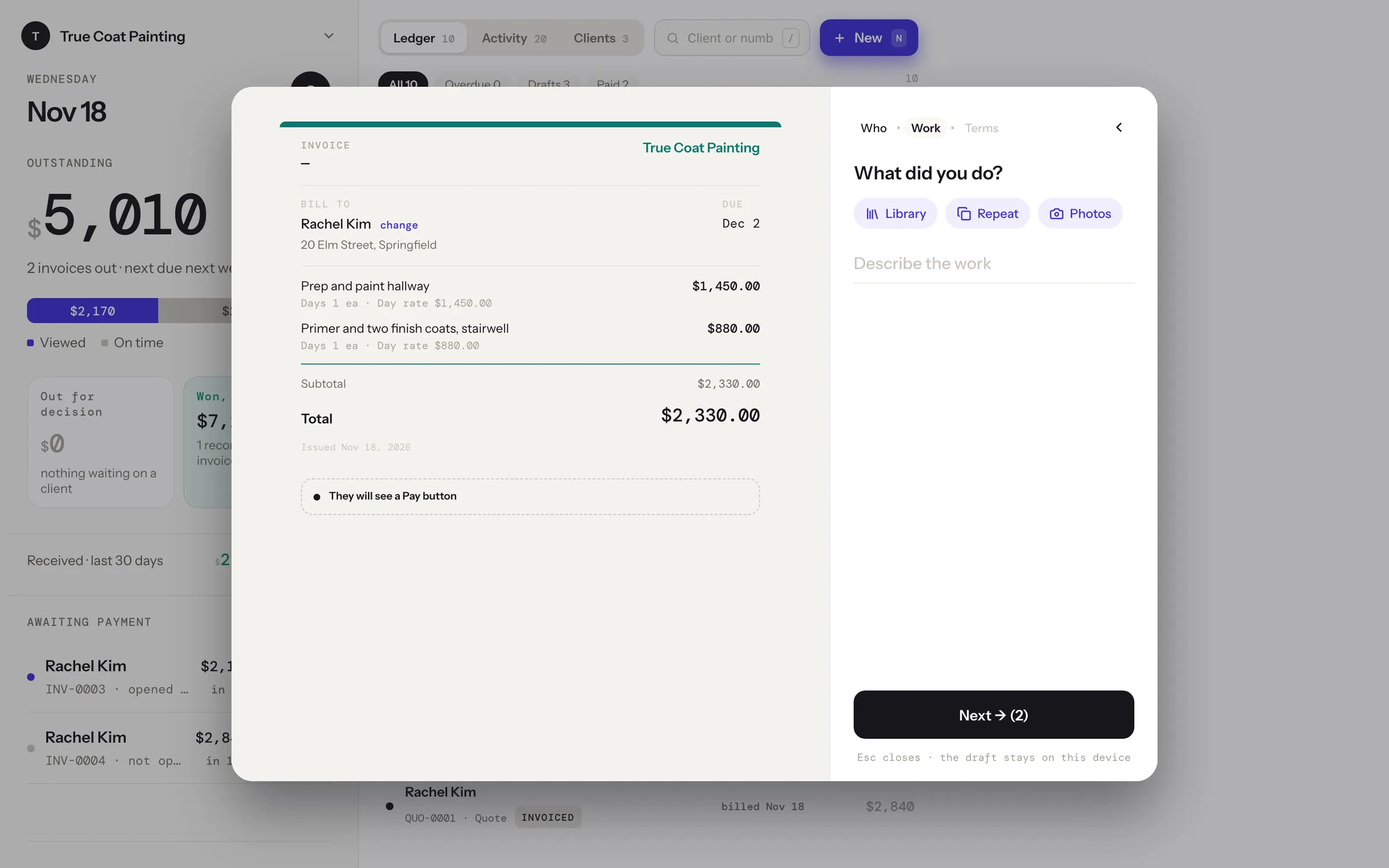
Step 1: the paper fills in as you write it. Estimate, quote or invoice is one tap.
-
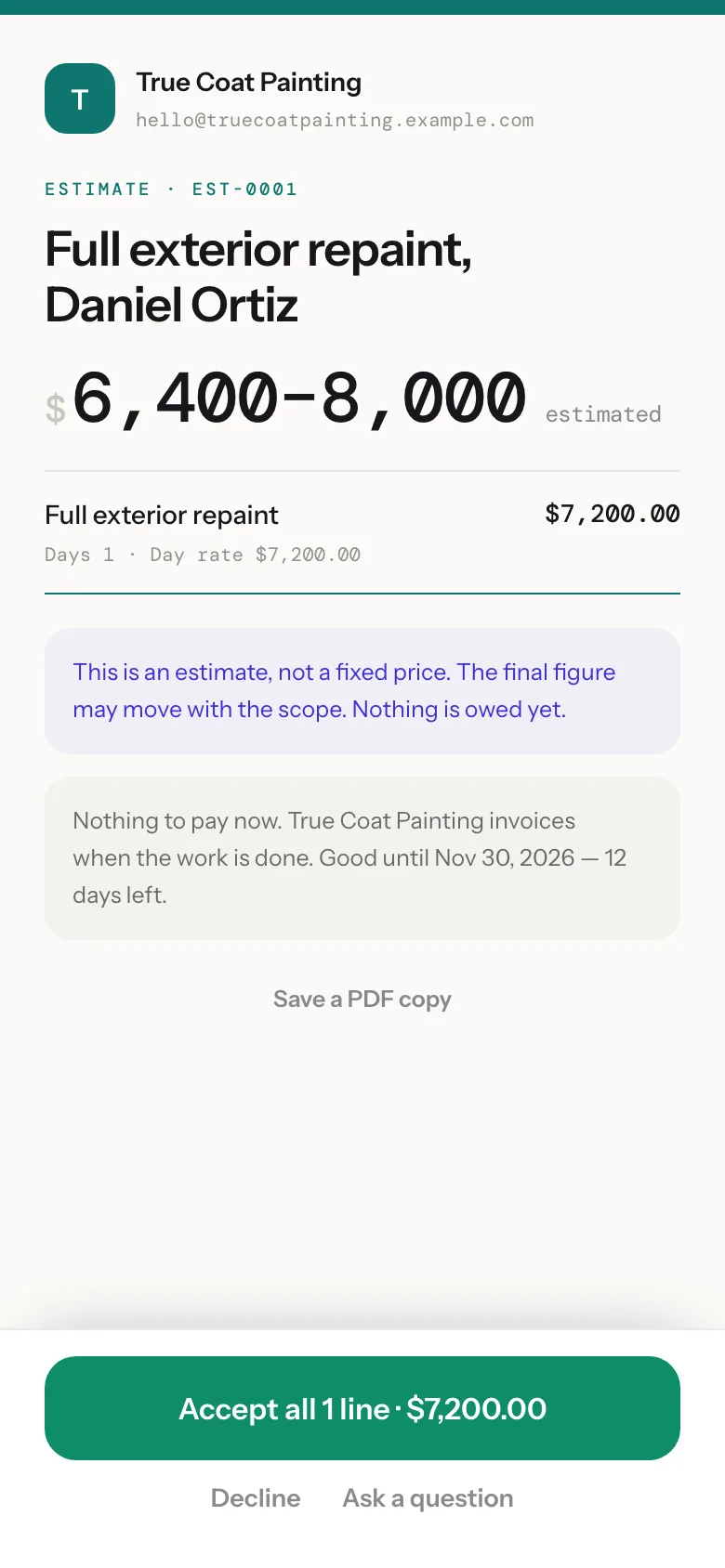
Step 2: what your client sees. One button to accept.
-
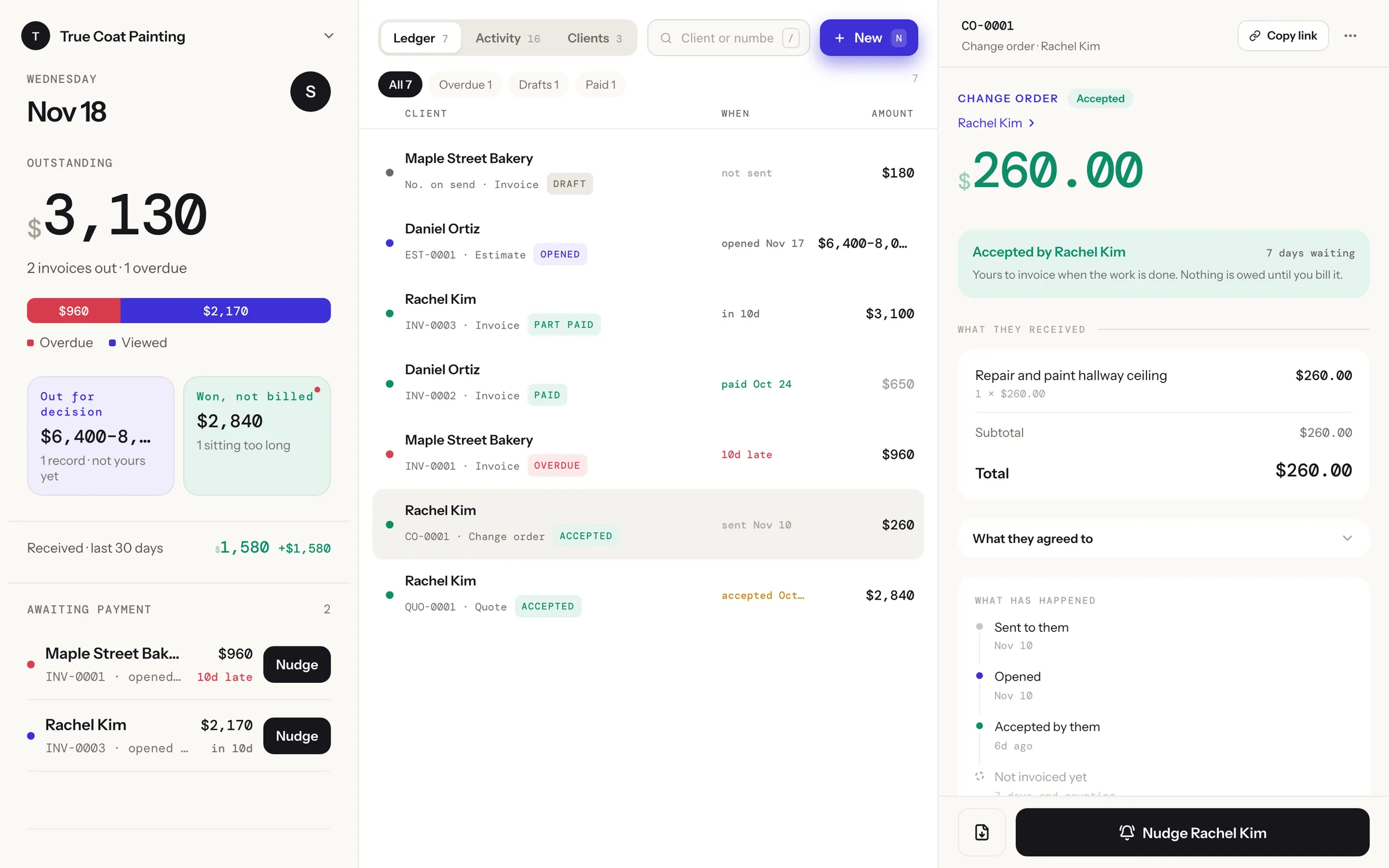
Step 3: the hallway, as a change order the client approved from their link.
-
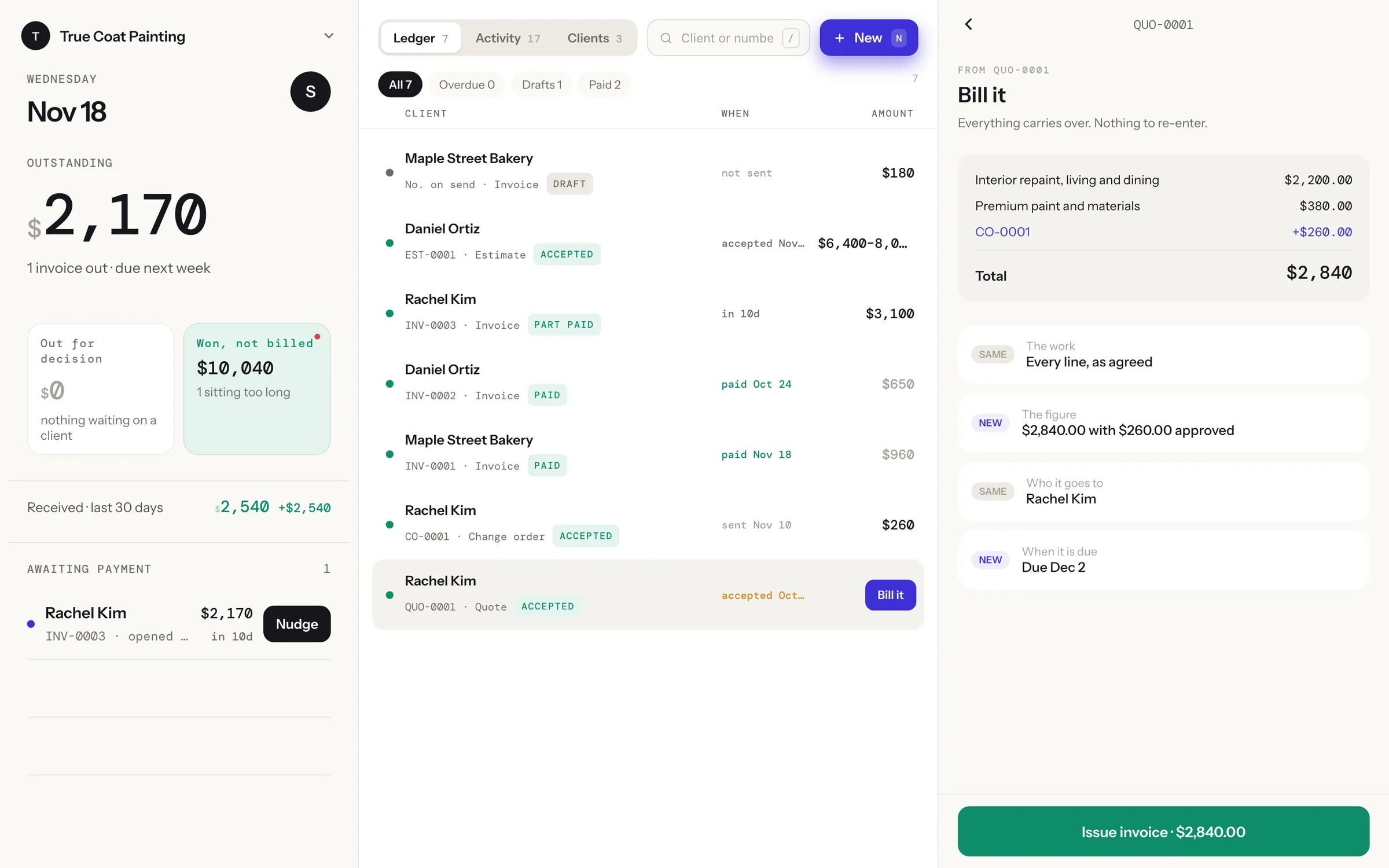
Step 4: the quote and its change order, now one invoice. Nothing retyped.
-
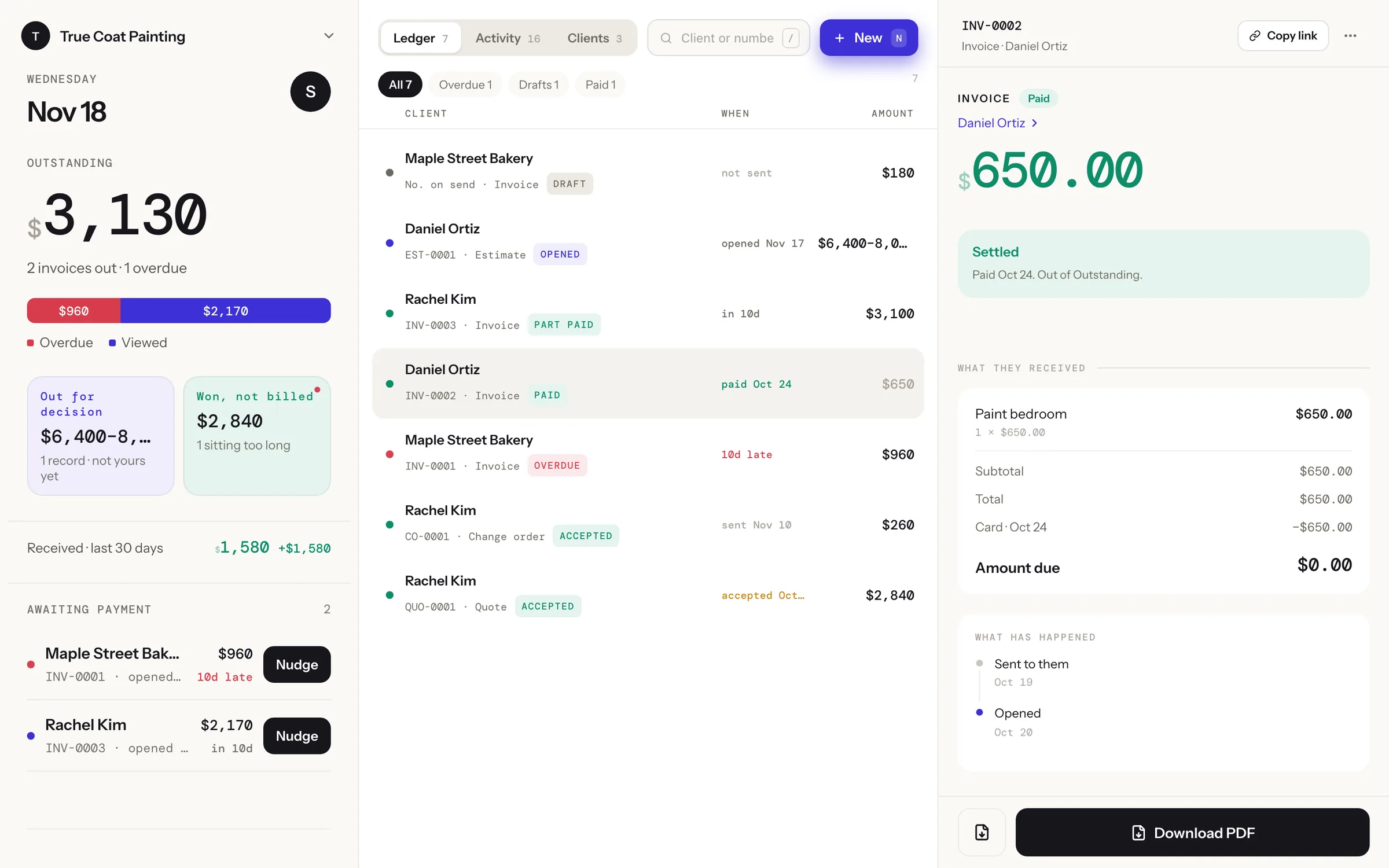
Step 5: paid by card. It settles and leaves what you're owed.
What the client accepted is kept as a record, a deposit moves with the job, and a withdrawn quote tells them so instead of breaking.
Step 1: the paper fills in as you write it. Estimate, quote or invoice is one tap.
Step 2: what your client sees. One button to accept.
Step 3: the hallway, as a change order the client approved from their link.
Step 4: the quote and its change order, now one invoice. Nothing retyped.
Step 5: paid by card. It settles and leaves what you're owed.
Your client pays from the link.
They get your quote or invoice by text, email, or a link in any chat. It opens in their browser with your name on it and the amount filled in. They pay by card and the money goes to your own Stripe account. We don't take a cut. They don't have to sign up for anything.
- Card and Link payments work, and so do bank (ACH) payments. If a bank payment is still clearing, it says so, so you don't chase money that's on its way.
- Paid in cash, by cheque or bank transfer? Record it. Part payments work too, and the invoice closes once it's covered.
- Got a PayPal, Venmo or Cash App link on your invoice? If a client says they paid that way, FairStint asks you to check first, and holds off reminders until you answer.
- Once it's paid, the invoice shows Paid for you and for your client.
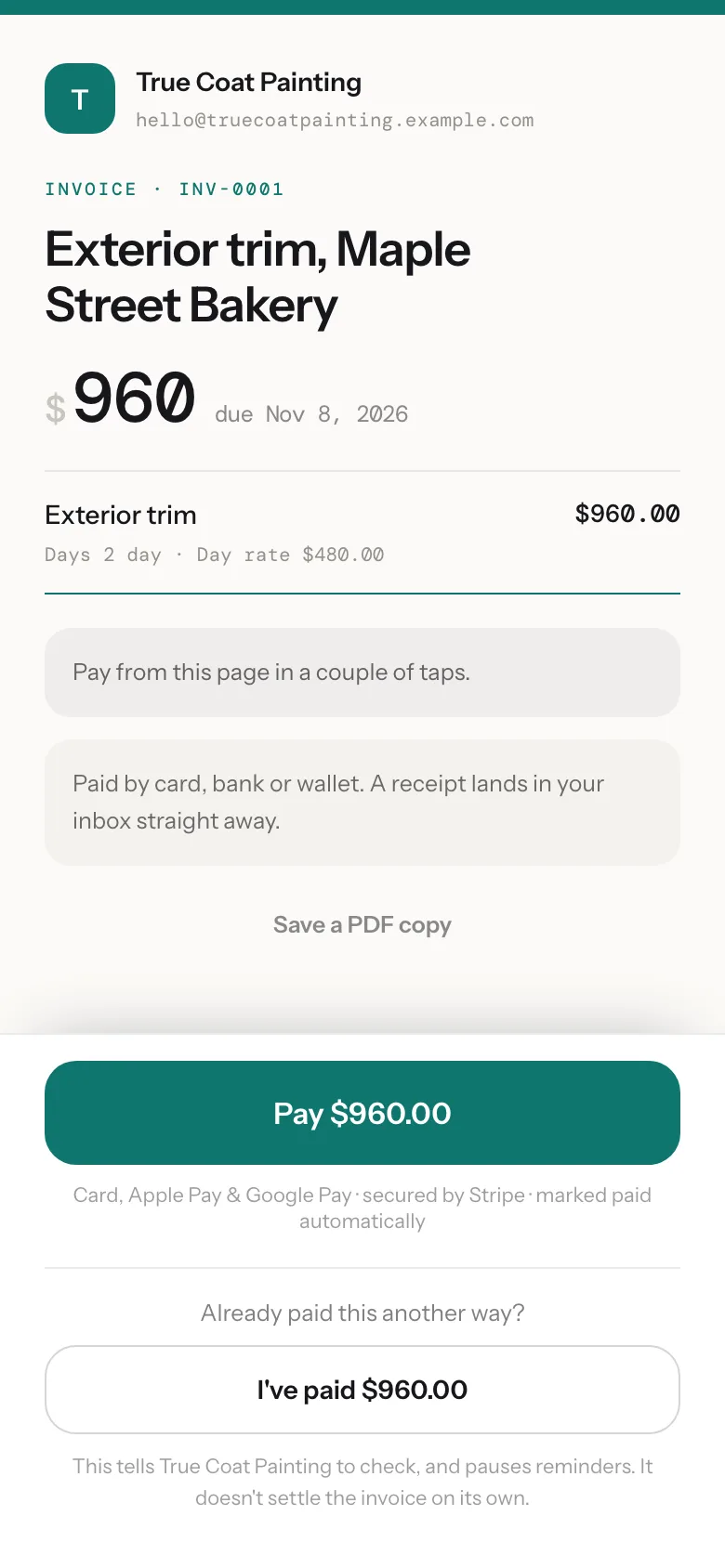
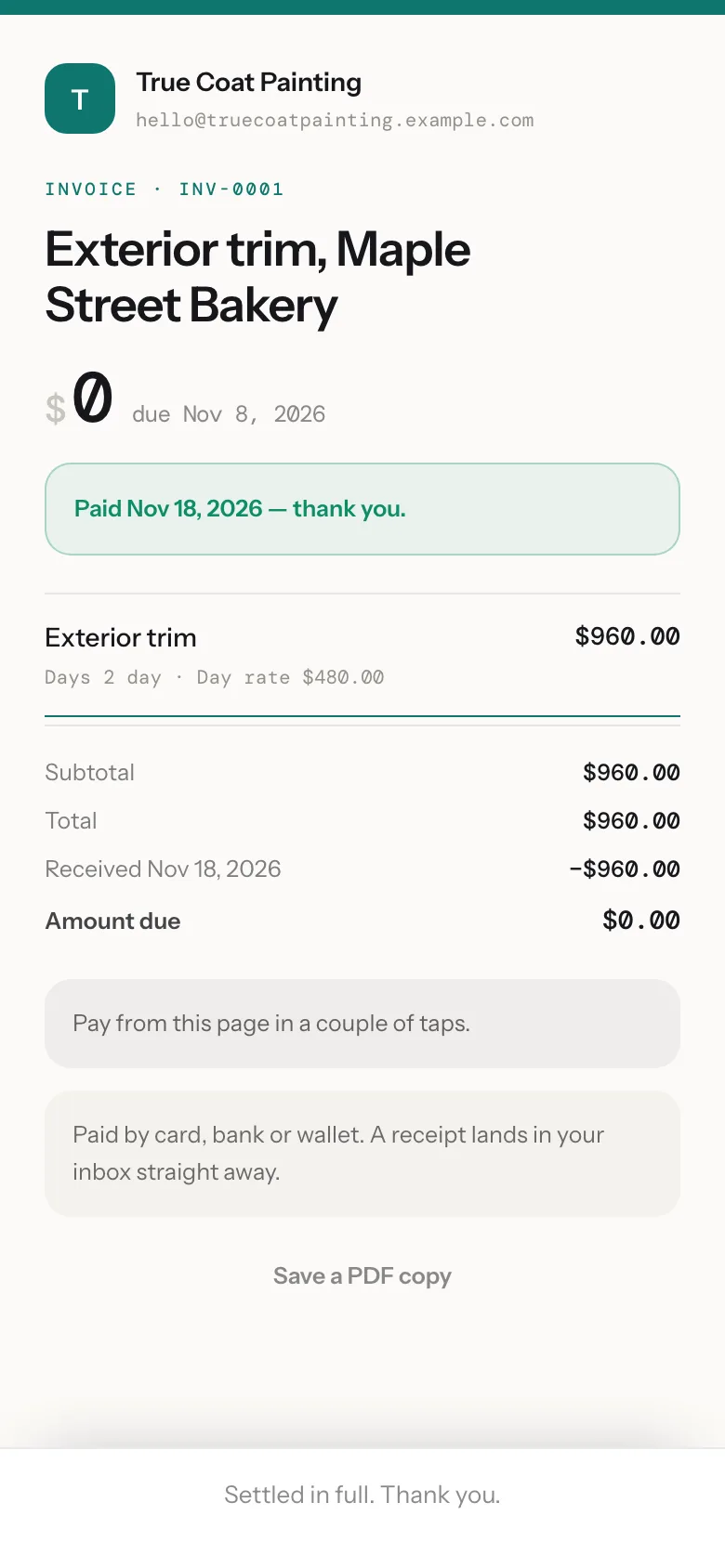
Your side, at the same moment.
What you're owed goes down and the invoice shows Paid.
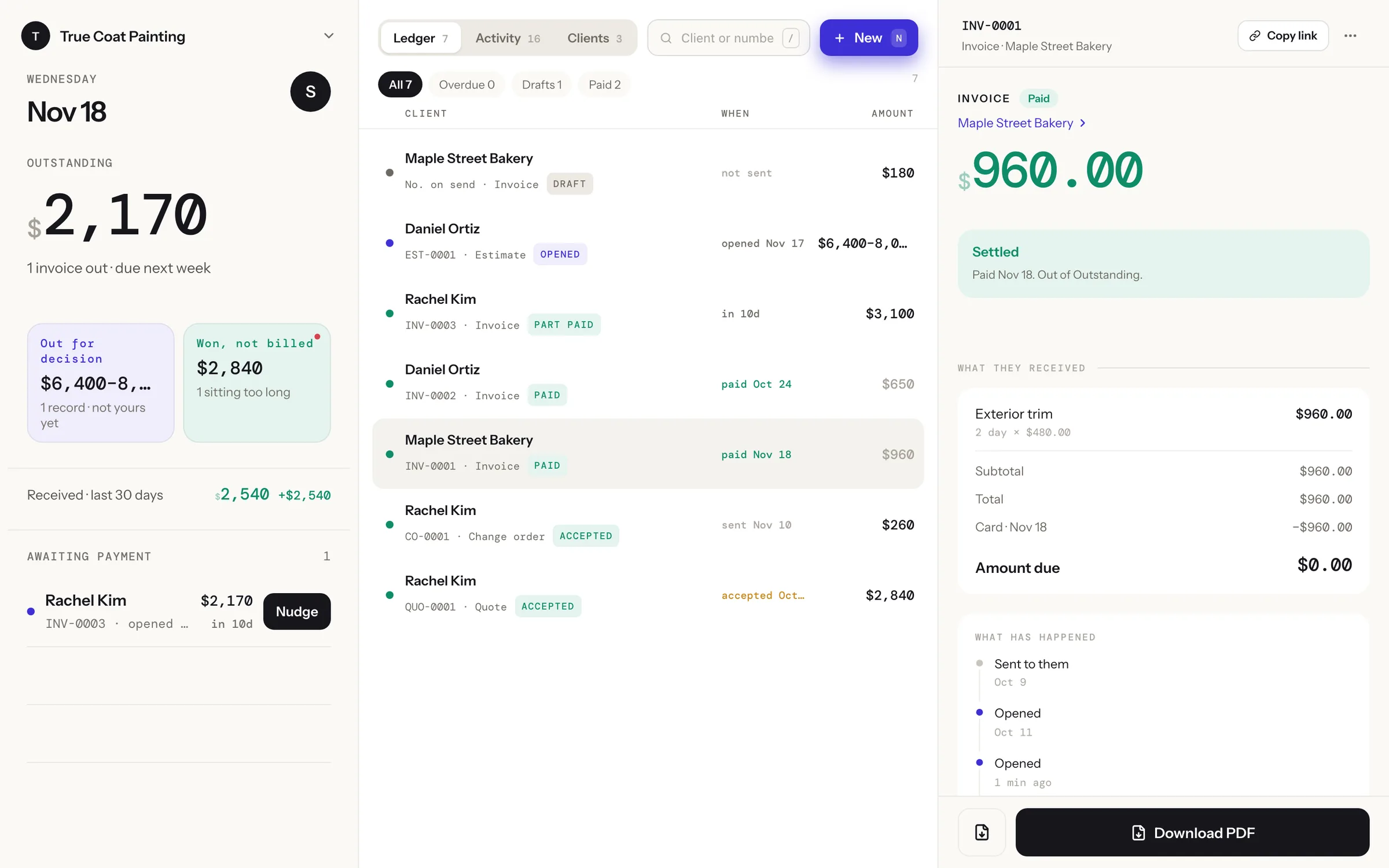
Let FairStint send the reminders.
Chasing late payments is the worst part of working for yourself. Here's what takes it off your plate.
Automatic reminders
Choose the steps once: a few days before it's due, on the due date, then every few days after, up to a limit you set. It won't remind about a paid invoice, one the client says they paid, or one with a bank payment on the way. Each invoice shows when the next reminder goes. Want to chase one yourself? Turn it off for that invoice. Reminders are off until you turn them on.
You hear first
When an invoice goes overdue, FairStint tells you before it tells your client. You decide whether to nudge by hand or let the reminders do it.
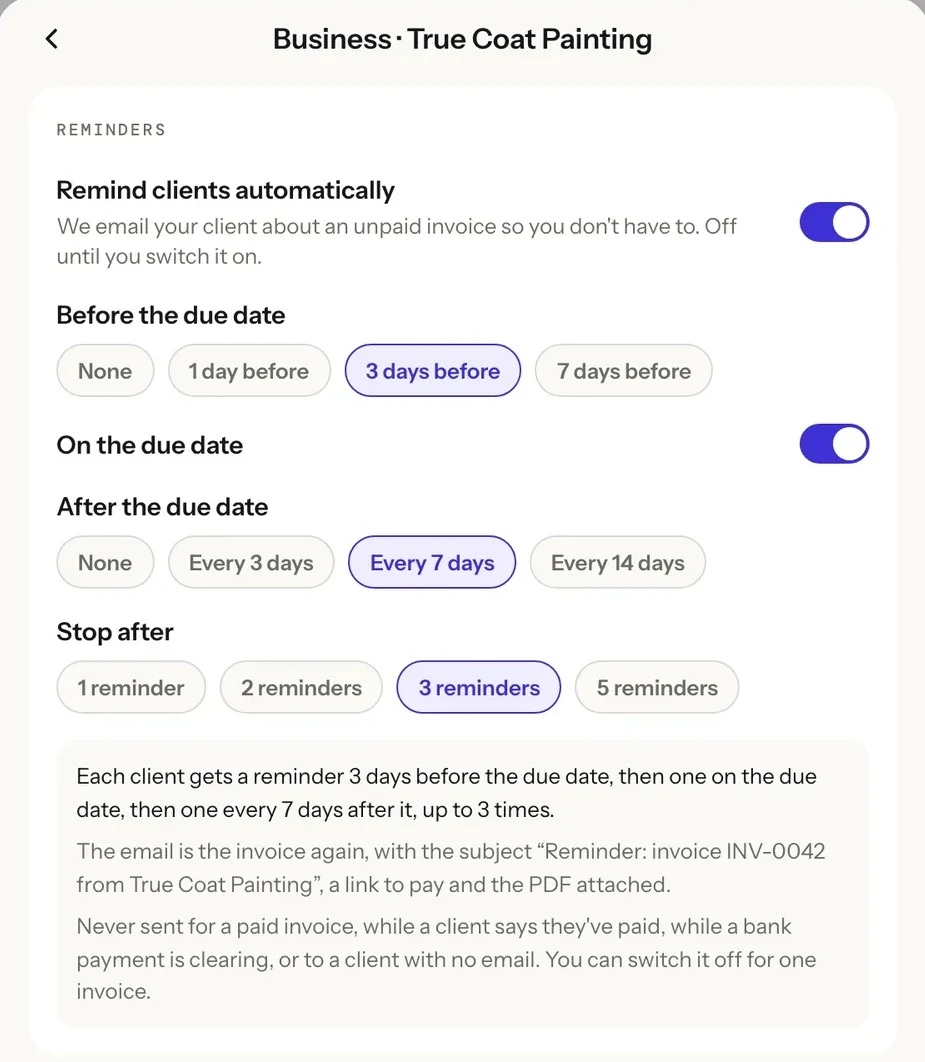
Settings: pick when reminders go out.
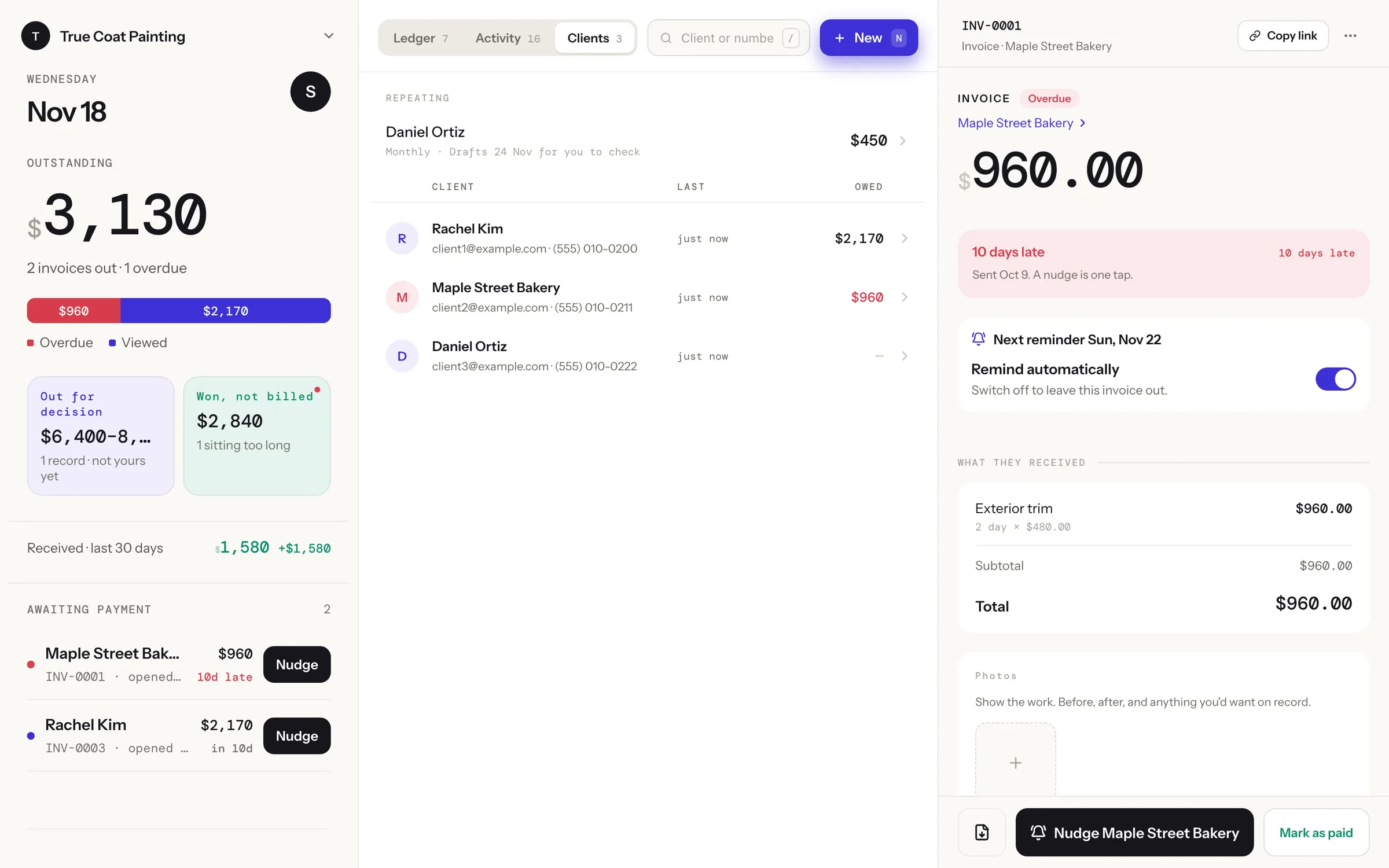
A monthly schedule, drafted for you to check
Repeat jobs, repeat invoices
Weekly clean? Monthly retainer? Repeat a sent invoice and the next one is drafted on its date. By default it waits for you to check the amount. If the amount never changes, you can let it send itself.
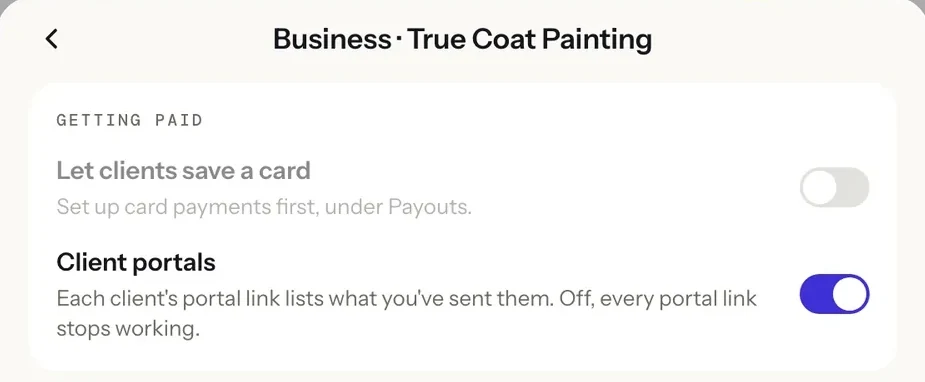
Settings: autopay and client portals
Autopay for regulars
A client can save a card on their invoice page. You pick which invoices charge it on the due date. Each invoice is charged once. If a charge fails, we don't retry. They get an email with the link to pay, and you get told.
Quotes and invoices that look like yours.
A clean quote with your colour on it makes it easier for people to say yes.
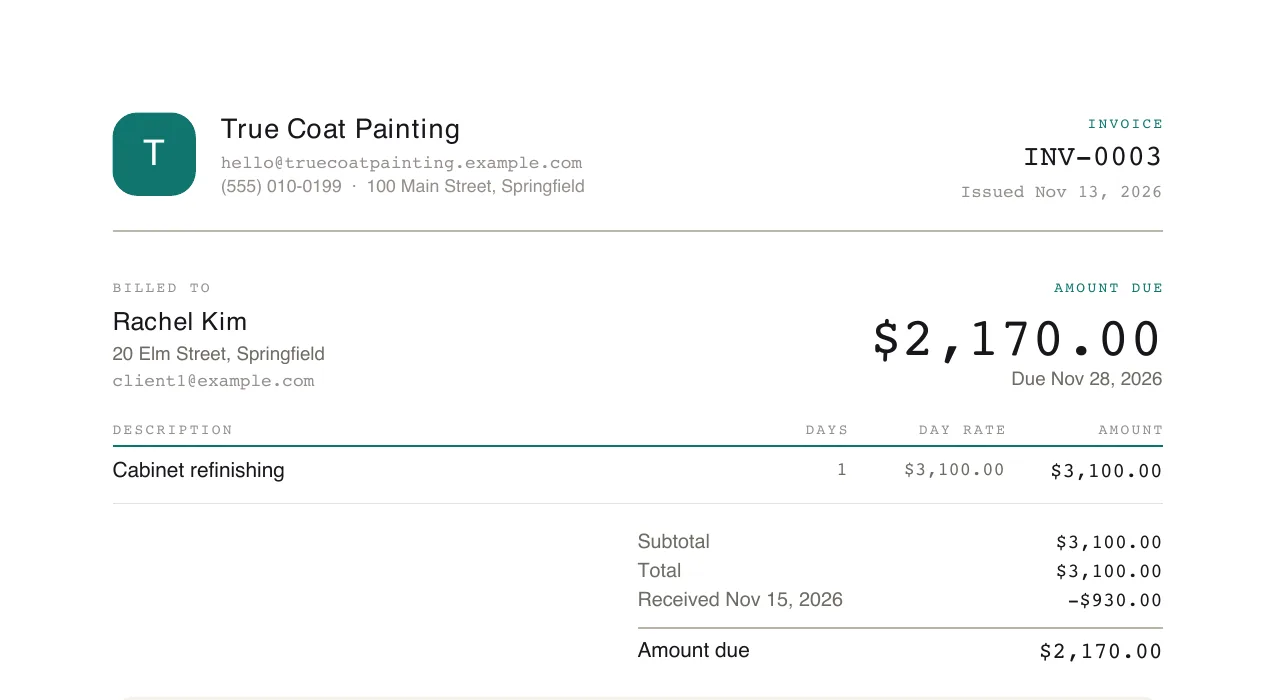
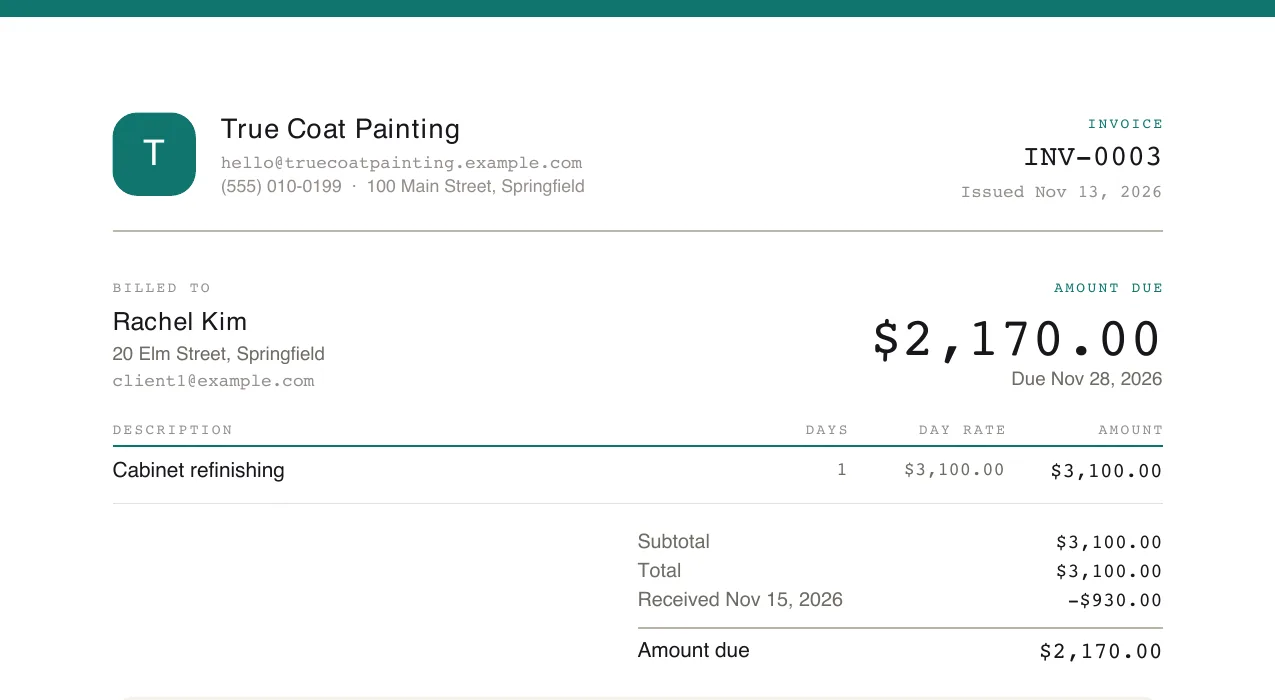
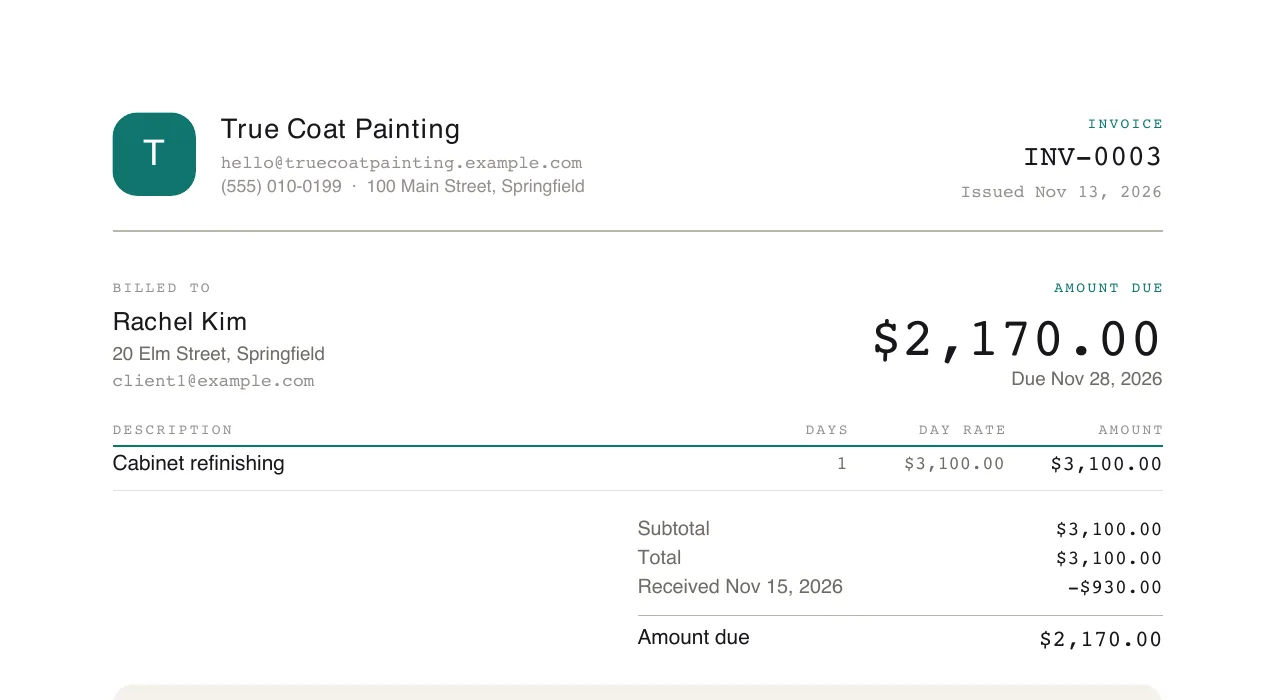
Pick your colour, a layout (Classic, Modern or Compact) and what the columns are called. Qty can say Hours and Rate can say Price. Set your terms once for quotes and once for invoices. The page, the PDF and the email all use them. A sent document keeps the look it went out with, so changing your colour never changes what a client already has.
- Client replies go to your business email, not a no-reply address.
- Attach photos of the work, or a contract as a PDF.
- Tax your way: added on top of your prices, or already included. Name your rates (like Zero-rated or Exempt) and print your tax number on the paper.
- Many currencies, with the right decimals.
- Invoice numbers with no gaps, for every kind of document.
- Paid plan: nothing of ours on your documents. Free documents carry a small “Sent with FairStint” line.
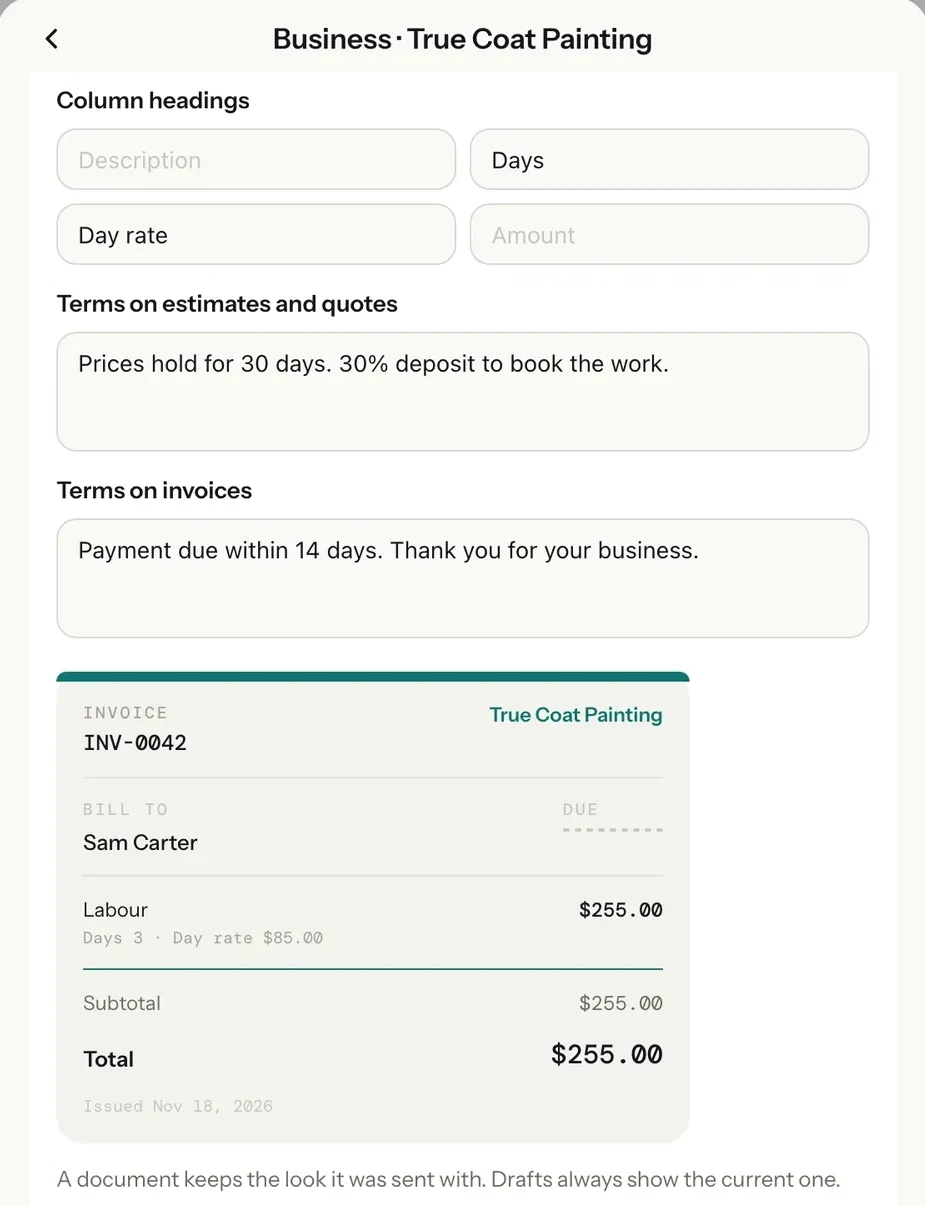
Settings: column names, terms and a live preview.
See who owes you. Pay once to keep it.
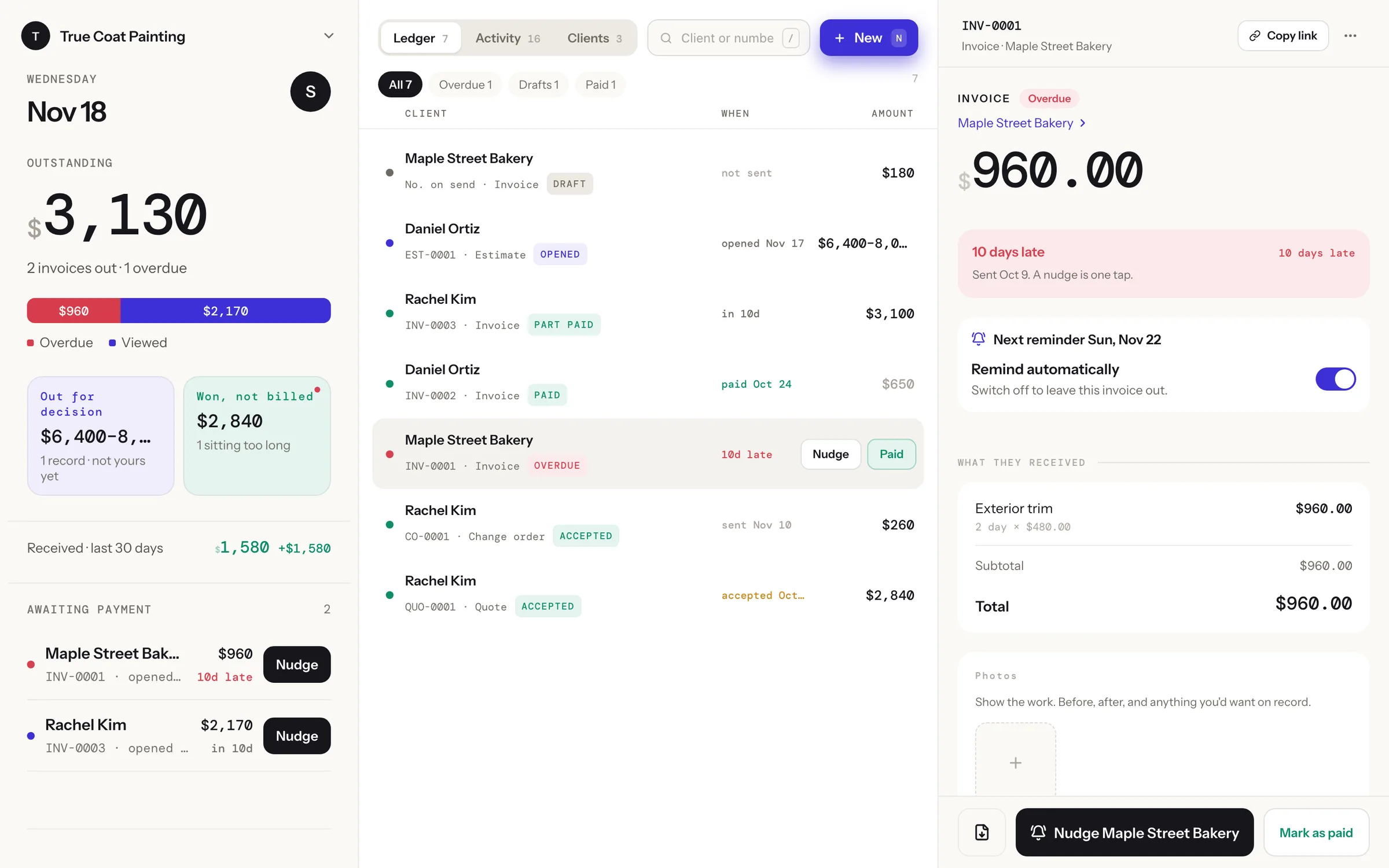
One screen shows what you're owed, what's late, and what clients opened but haven't paid. No adding up and no spreadsheet.
Join the waitlist to lock in the lifetime price.
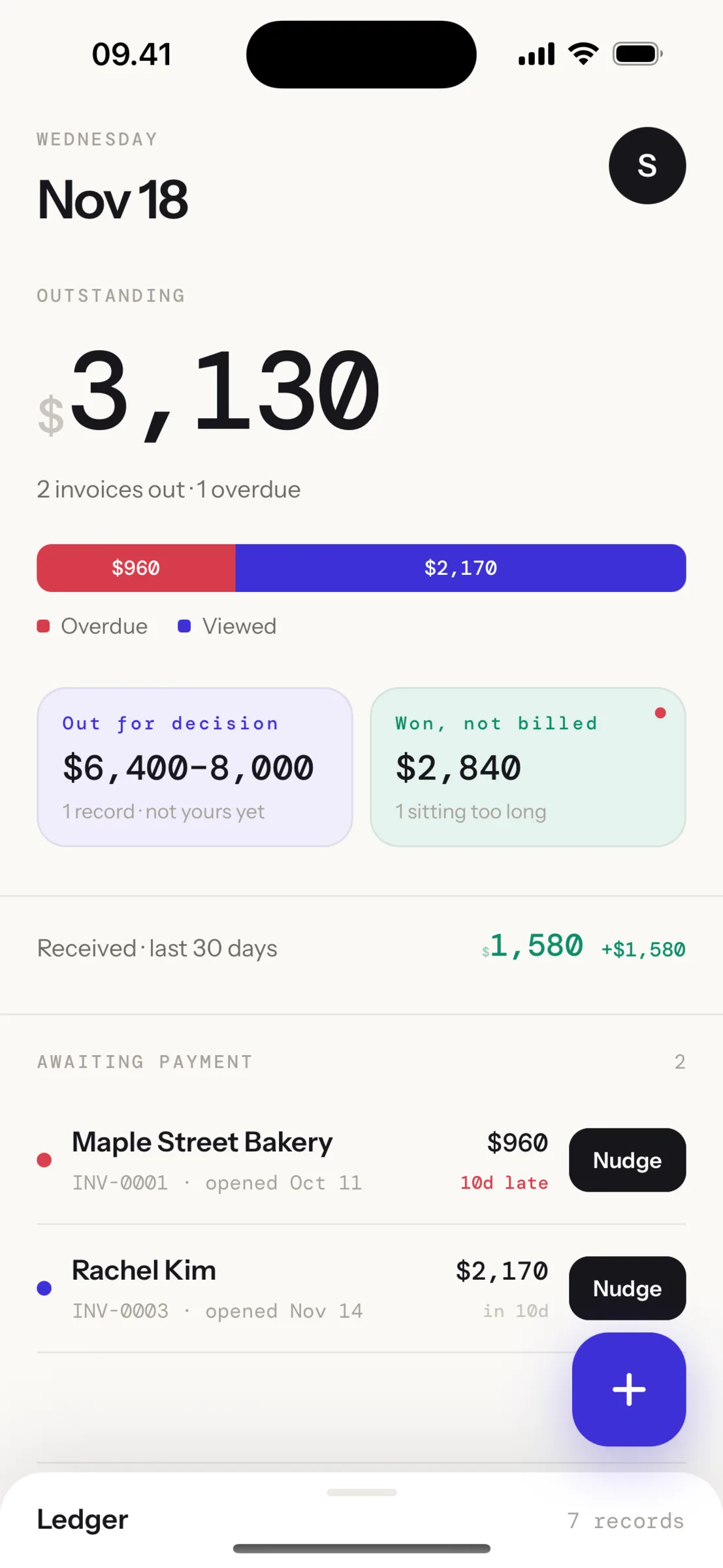
Overdue, opened, on time: the bar under what you're owed.
Why it's safe to start
- Switching from another tool? Import your clients, items and past invoices from a CSV. Unpaid invoices come in as money you're owed.
- Your records are yours. Export every document as a spreadsheet any time, on the free plan too.
- Nothing renews, so there's nothing to cancel. Back on the free plan, you keep every record and can finish any job you started.
- We take no cut of what your clients pay you. Card payments go through Stripe, which charges its own processing fee.
Everything is included. No credits, no add-ons, and no fee to remove our logo.
Is this accounting software?
No. FairStint is for the money side of a job: quote it, bill it, get paid. It shows what you billed, collected and are owed, and tax on each, and it exports a clean spreadsheet for your accountant. It doesn't keep a general ledger, track expenses or reconcile your bank.
Do my clients need an account?
No. They open a link and accept or pay in their browser. No app, no sign-up.
How do clients pay me?
By card from the invoice link, once you've connected Stripe. The money goes to your own Stripe account, and we take no cut of it (Stripe charges its standard processing fee). For clients you bill again and again, they can save a card on their invoice page, and you choose which invoices charge it on the due date (autopay). You can also share a portal link per client, which lists everything they owe and opens each invoice to pay. Prefer PayPal, Venmo, Cash App or a bank transfer? Add the link or details to your invoice. Paid cash or by cheque? Record it and the invoice settles.
Does it work on my phone?
Yes. Write quotes, add photos, send them, take payment and record a change order from your phone, including with no signal. A few settings are only on the web app for now: turning on reminders, autopay, your look, switching businesses, team, the client portal link, the demo business and import. Whatever you set there still works from the phone, so reminders still send and branded documents still look right. Each one is marked coming soon in the app.
What happens after I pay?
Not much changes. The “Sent with FairStint” line comes off every document, including ones you already sent. You get unlimited jobs and the businesses you bought. No credits, no add-ons.
What counts as a free job?
One piece of work from start to finish. The quote, its change orders and the invoice count as one. Re-sending, reminders and recording payments never use one up. Your first 3 are free.
What if I stop being a paid team?
You keep everything. You can still send the invoice, remind the client and record the payment for any job you've started. Only starting a new job needs a paid team once the 3 free ones are used.
Can I add work after the client accepts the quote?
Yes. Send a change order. Once they approve it, it joins the job and carries onto the invoice as its own line.
Can I bring my old invoices over?
Yes, from a CSV: clients, items and past invoices. Past invoices come in as records. FairStint won't send, remind or charge them.
Will my reminders annoy my clients?
Only if you ask them to. Automatic reminders are off until you turn them on, and you choose the steps. They skip an invoice the client says they've paid, and you can switch them off for any single invoice.
Can I leave if I want to?
Yes. Export every document as a spreadsheet any time, even on the free plan.
Waitlist
Want in when it opens?
Join the waitlist to lock in the lifetime price: $49 once for 2 businesses, so you never pay monthly or annually. Your first 3 jobs are free. We'll email you when FairStint opens.